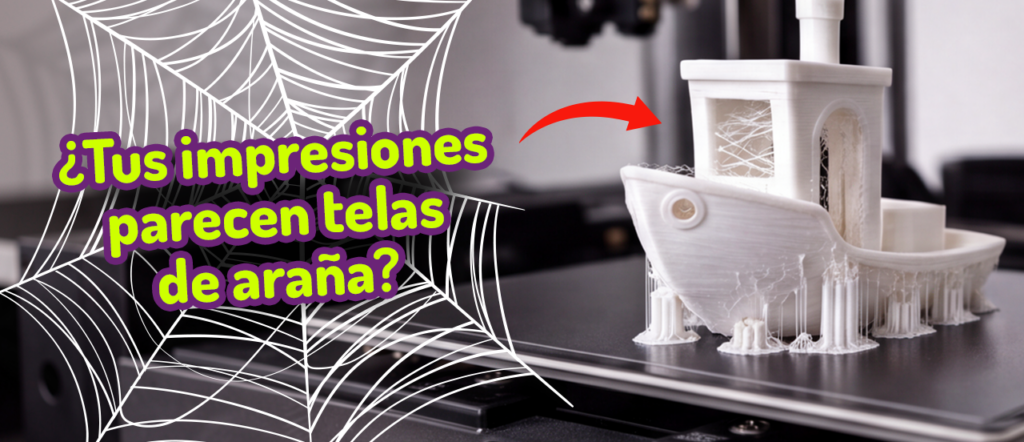
If you have been 3D printing for a while, you have surely come across a part that comes out with gaps, weak walls or incomplete layers.
We often think the problem lies in the model or the slicer settings but, in reality, it usually comes down to something more basic: the printer is not extruding enough material.
This problem is called under-extrusion, and it is one of the most common problems in FDM 3D printing.
When it happens, the printer lays down less plastic than it should, and the result is parts with:
- gaps between lines,
- incomplete walls,
- weak layers,
- uneven surfaces.
 To understand why this 3D printing problem occurs, you first need to understand how extrusion really works in a 3D printer.
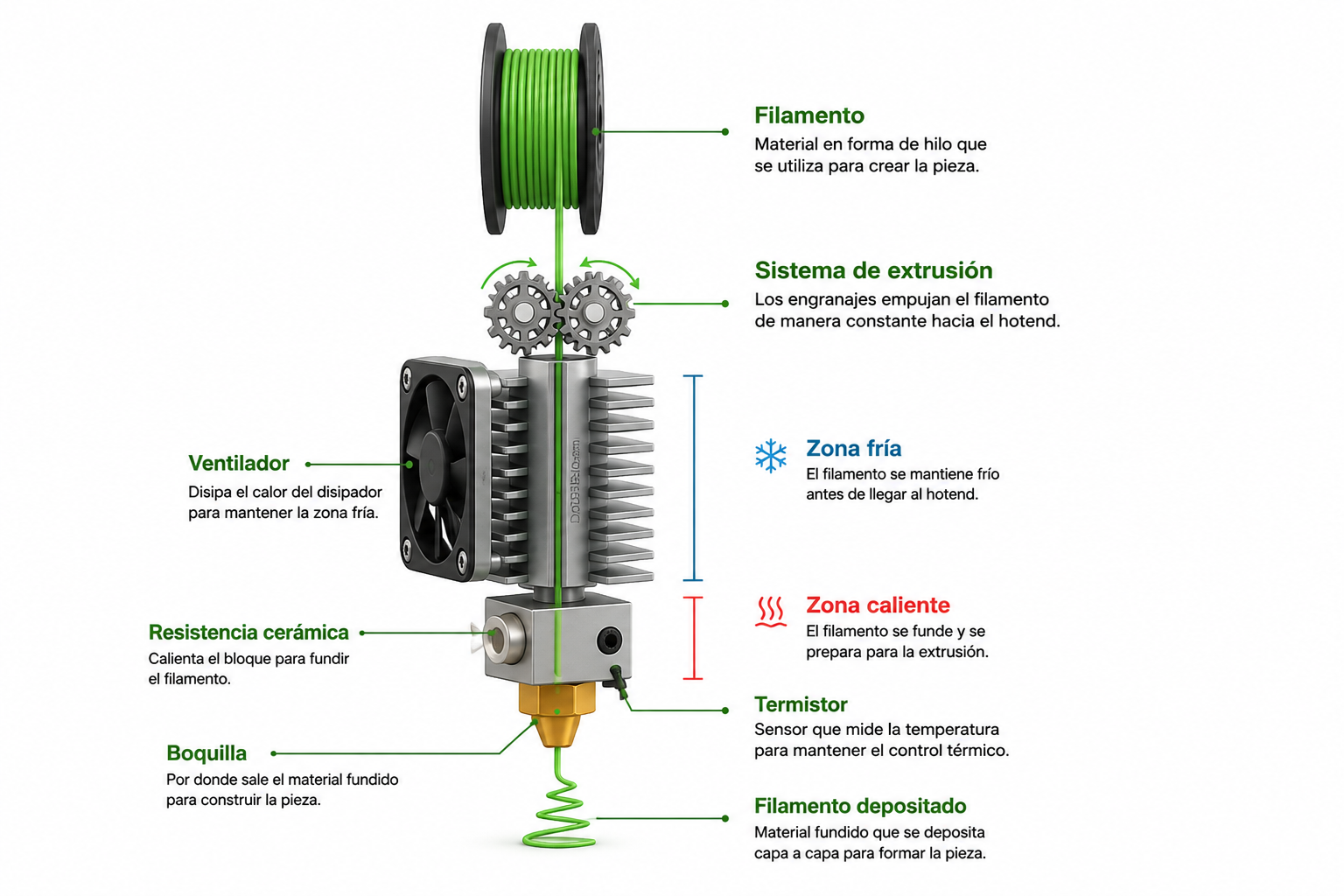
The basic process consists of:
- feeding thermoplastic in filament form into the printer,
- the extruder pushes the material towards the hotend,
- the hotend melts the filament until it reaches its melting point,
- the molten material comes out of the nozzle and is deposited layer by layer on the build plate.
Now, here are three components you should know inside out.
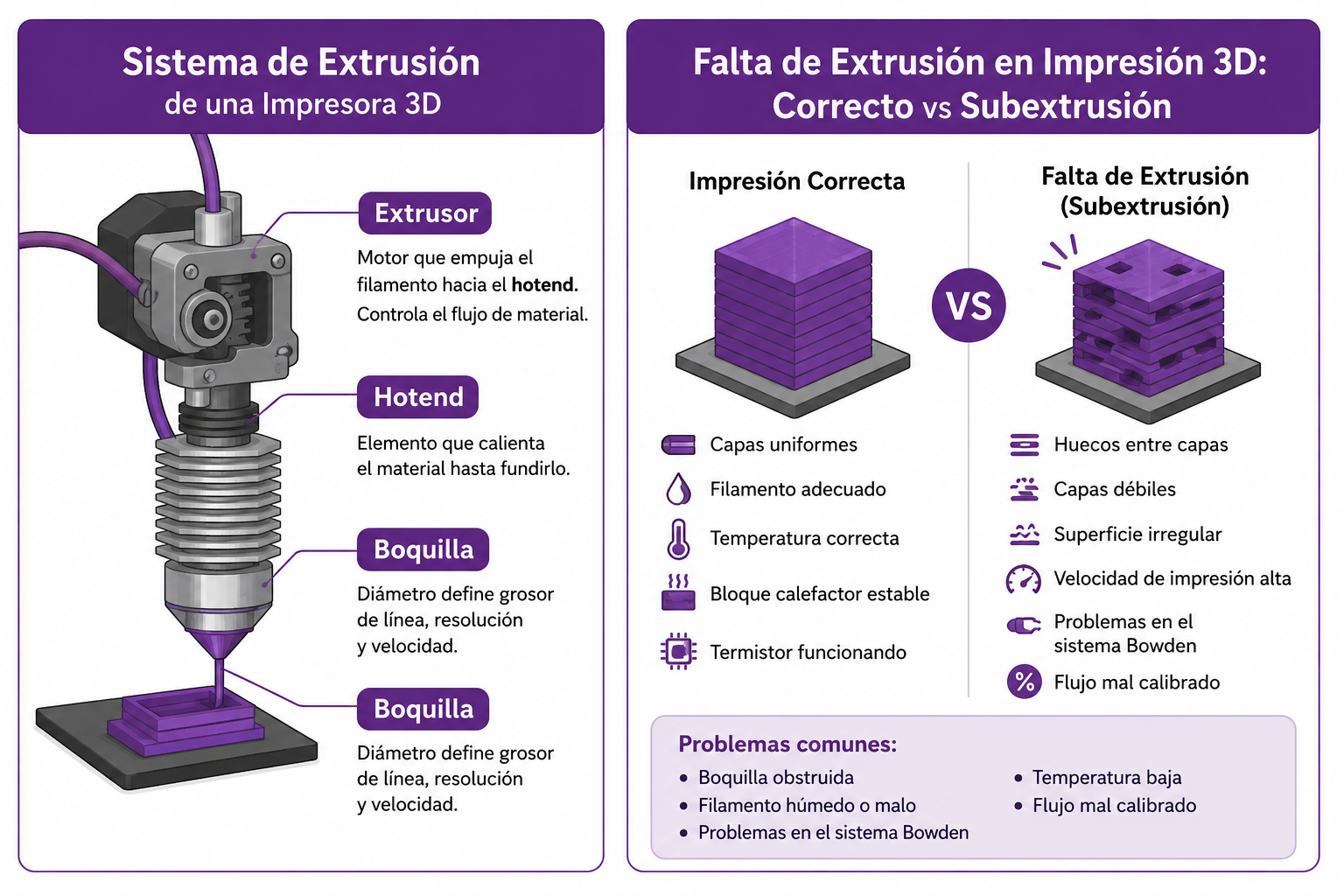
- Extruder: the motor that pushes the filament towards the hotend. Its job is to control the flow of material going in.
- Hotend (melter): the element responsible for heating the material until it melts. It includes: heater block, heater cartridge, thermistor, heatsink.
- Nozzle: the end point of the system where the molten material comes out. Its diameter determines: line width, print resolution, printing speed.
What under-extrusion is in 3D printing
Under-extrusion occurs when the printer pushes out less filament than needed during printing. This causes visible defects in the part, such as: gaps between layers, incomplete walls, weak surfaces, layers that do not adhere properly.
In severe cases, the printer may stop extruding altogether mid-print.
How do we know if we have an extrusion problem?
- Gaps between print lines: the walls do not join up completely and small spaces appear between the perimeters.
- Weak or incomplete layers: the top layers may show holes or uneven surfaces.
- Inconsistent extrusion: the printer alternates between correct areas and areas where material is missing.
- A “clicking” sound from the extruder: the extruder is trying to push the filament but meets resistance.
The most common causes of under-extrusion
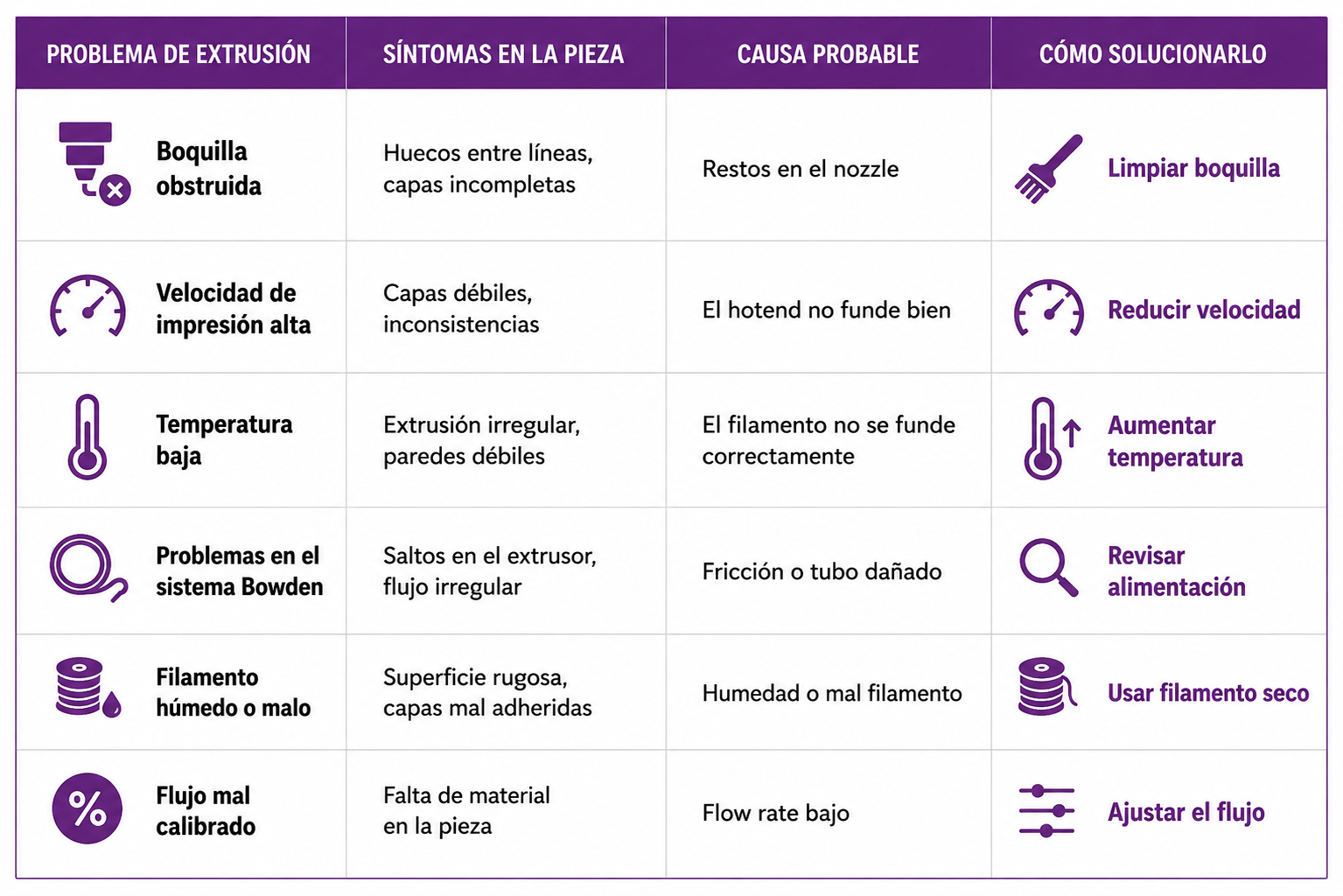
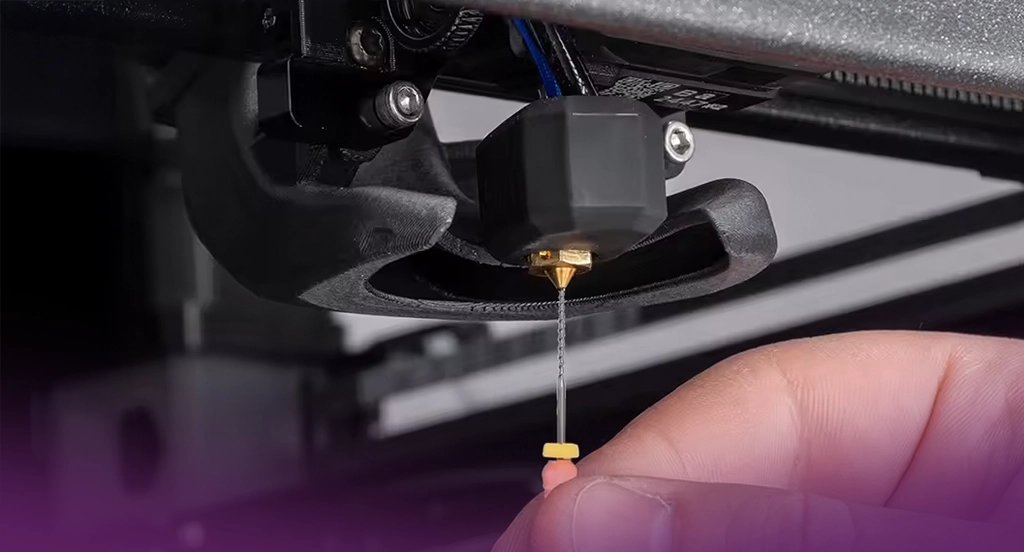
 Blocked nozzle: one of the most common reasons is a blockage in the nozzle, caused by material residue or impurities. This reduces the flow of molten plastic.
Printing speed too high: if the printer prints too fast, the hotend may not have enough time to melt and extrude the material.
Problems with the Bowden system or filament feed: on printers with a Bowden system, the filament can meet resistance in the tube if:
- it is damaged,
- there is too much friction,
- it is bent.
Printing temperature too low: if the nozzle temperature is insufficient, the material does not melt properly and the extruder struggles to push it. This usually causes:
- irregular extrusion,
- weak layers,
- gaps in the walls.
Damp or poor-quality filament: filament can absorb moisture from the environment, which leads to irregular extrusion. It can also happen if the filament has: an inconsistent diameter, impurities, poor manufacturing.
How to fix under-extrusion
- Clean or unblock the nozzle: we recommend using a cleaning needle, using cleaning filament and giving the hotend a clean.
- Reduce the printing speed by 10 to 20 mm/s; this usually helps improve extrusion stability
- Raise the printing temperature by 5 to 10 °C, which can help the material flow.
- Adjust the flow parameter (Flow Rate): if the flow parameter is set too low, the printer will lay down less material than needed. In some cases increasing the flow by 3% to 5% can correct the problem.
- Check the extrusion system; inspect:
-
- the extruder gear,
- the spring tension,
- the condition of the Bowden tube,
- that the filament is feeding correctly.
How to prevent under-extrusion
To avoid extrusion problems in future prints, we recommend the following.
- Clean the hotend regularly.
- Use quality filament, such as Winkle’s material.
- Keep the filament dry.
- Check the extruder and the Bowden system.
- Print within suitable temperature ranges.
Materials that can be extruded in 3D printing
In FDM 3D printing you can use materials at different levels:
- Standard polymers: PLA or ABS.
- Technical or engineering polymers: PET, ASA, PC, POM.
- High-performance polymers: PEEK, PEI (ULTEM), PIK.
These materials differ mainly in: thermal resistance, mechanical strength and industrial applications.
There are different types of printing problems; we have gathered the most notable ones in a practical guide with their solutions: common problems in 3D printing and how to solve them.