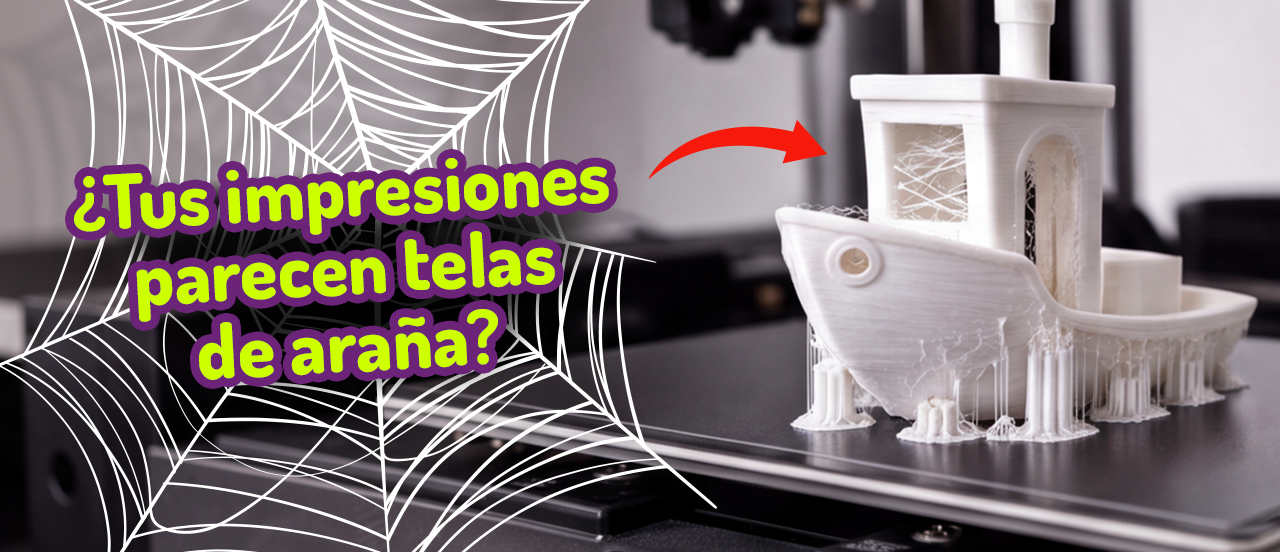
Stringing, or strands in 3D printing, appears when the nozzle lets small amounts of filament escape during travel moves. That material cools in the air and is left as a strand between two areas of the part.
 Those strands look like cobwebs or fine threads crossing areas where the 3D printer should not be depositing material.
It is a 3D printing problem that normally occurs during travel moves: the nozzle moves from one point to another without printing, but the molten filament keeps oozing out.
Key idea: if you see strands between towers, letters, supports or separate parts, do not start by changing ten parameters. First check temperature, retraction and filament moisture.
To be clear, it is not the same as under-extrusion: with under-extrusion there is material missing. With stringing there is material to spare where there should not be any.
Main causes of stringing
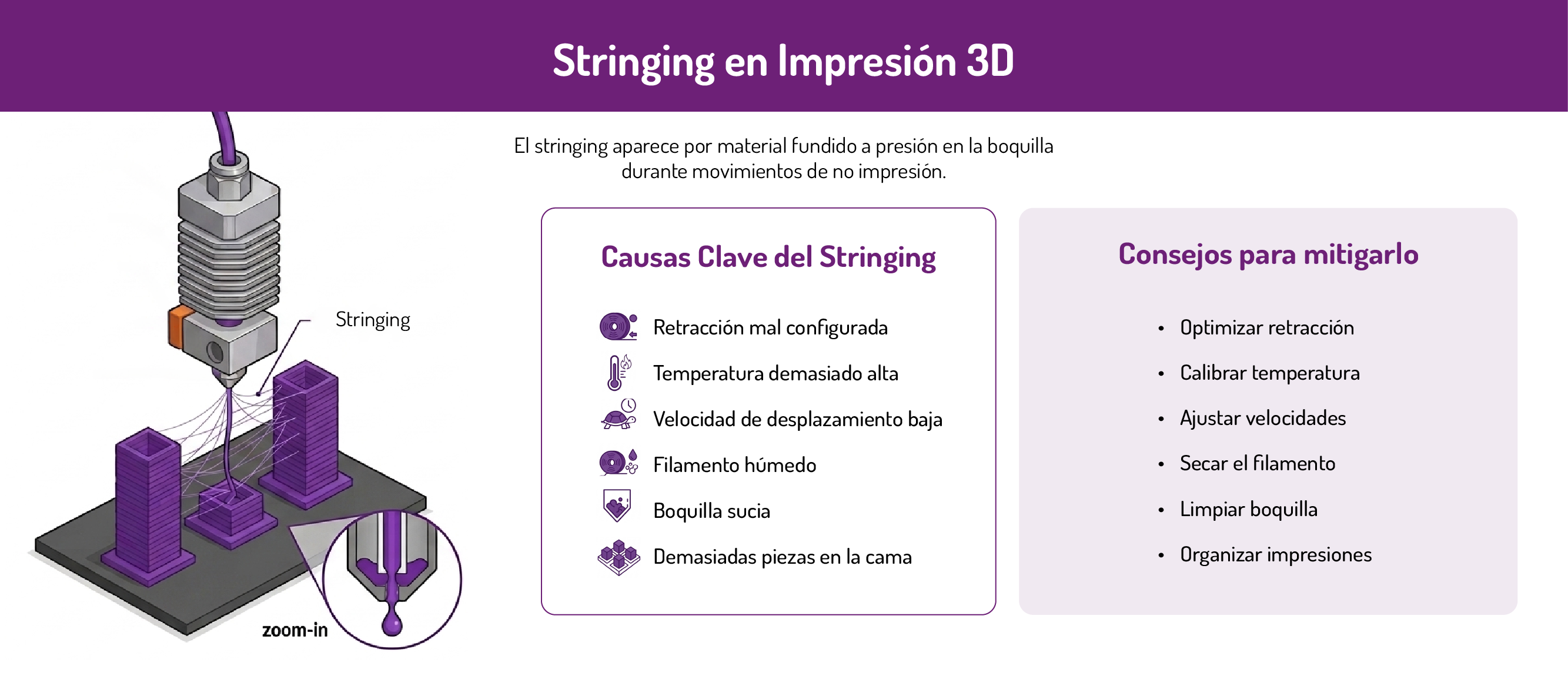
As we mentioned, stringing appears because there is molten material under pressure inside the nozzle while the head moves without printing.
If retraction does not pull back enough filament, if the temperature is too high or if the material is damp, the plastic can drip and form strands.
- Poorly configured retraction: if retraction is low or disabled, the filament is not pulled back enough before a travel move.
- Temperature too high: the more liquid the material is, the easier it is for it to ooze out of the nozzle.
- Low travel speed: if the head takes a long time to move between two points, the filament has more time to form strands.
- Damp filament: moisture can create steam, bubbles and an irregular flow that increases stringing.
- Dirty nozzle: burnt or built-up material residue can drag small strands across the part.
- Too many separate parts on the bed: if you print several objects at once, the head makes many travel moves and the likelihood of stringing goes up.
Fine stringing and heavy stringing
Not all strands in 3D printing point to the same level of problem; we can distinguish between fine and heavy stringing.
- Fine stringing looks like very thin threads or small cobwebs between parts of the piece. It usually comes from slight oozing at the nozzle, a high temperature or insufficient retraction.
- Heavy stringing forms thicker strands, material residue or small blobs between separate areas. In this case you should check whether the temperature is excessive, whether retraction is disabled or badly set, whether the filament is damp and whether travel moves are too slow.
| What you see on the part | Probable cause | What to check first |
|---|---|---|
| Fine strands between towers | Insufficient retraction | Retraction distance and speed |
| Strands even though retraction is on | High temperature | Temperature tower |
| Strands between several separate parts | Long travel moves | Rearrange the bed or print separately |
| Strands with residue stuck to them | Dirty nozzle | External cleaning or a cold pull |
| Strands, bubbles and clicking | Damp filament | Dry it and store it in an airtight box |
| PETG leaves a lot of strands | Material prone to oozing | Adjust temperature, retraction and travel speed Also check whether the filament is damp: PETG tends to absorb moisture easily. |
How to fix stringing step by step
Before changing lots of parameters at once, it is worth printing a stringing test model. These models usually include several small towers spaced apart.  When the nozzle travels between them, any filament leak is clearly visible.
With this test you can tell whether you need to adjust retraction, lower the temperature, increase travel speed or dry the filament. Repeat the test to see whether everything is right.
1. Adjust the retraction.
Enable retraction if it is off. Then adjust distance and speed. Do not increase retraction without limit: too much retraction can cause jams, marks or a lack of material when printing resumes.
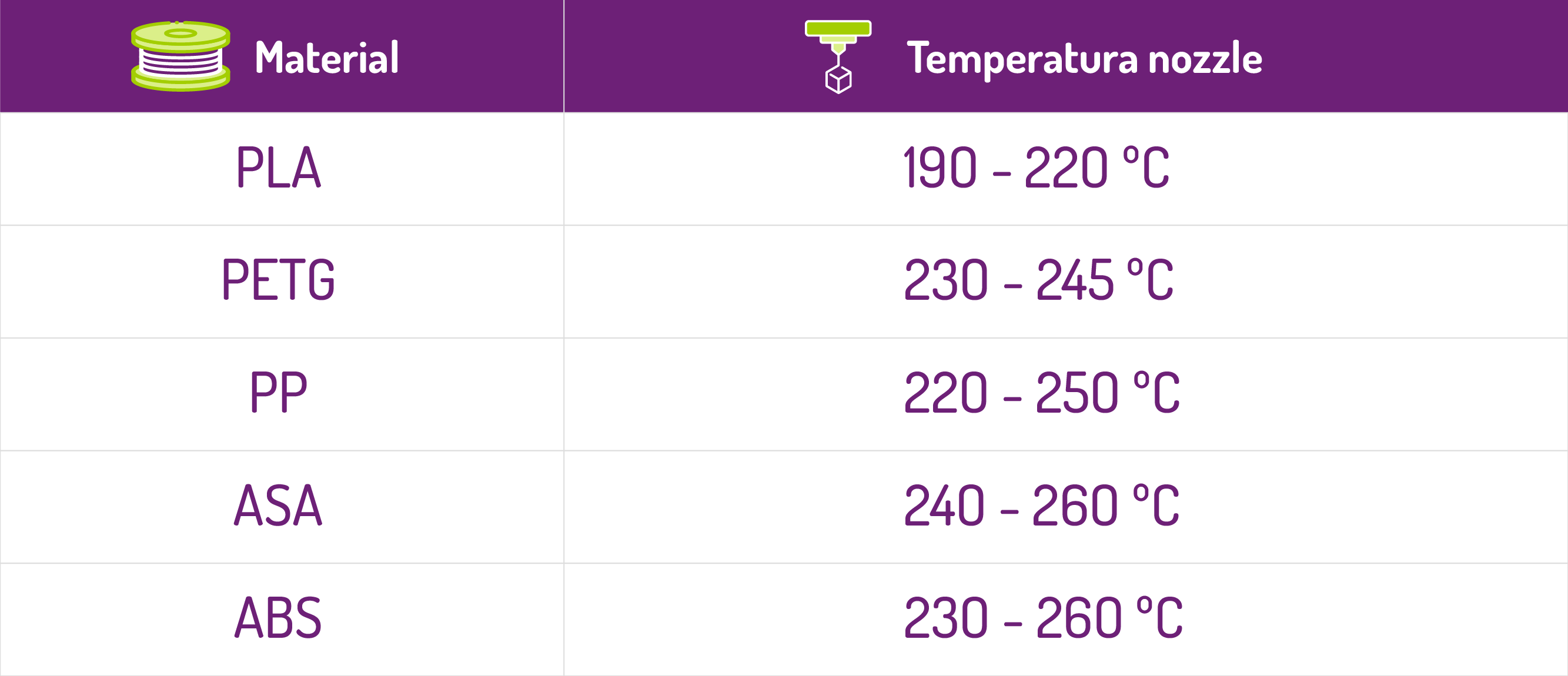
2. Print a temperature tower.
Lower the temperature gradually, not all at once. A high temperature makes it easier for the filament to drip and form strands, but too low a temperature can cause poor extrusion or badly bonded layers. The aim is to find the lowest point that still prints well.
3. Increase the travel speed.
A higher travel speed reduces the time the nozzle spends crossing empty spaces. If the head takes less time to move, there is less time for the filament to drip.
4. Clean the nozzle.
If there is material residue stuck to the nozzle, it can be dragged along and form strands. Clean the outside of the nozzle and check for a partial blockage.
5. Dry the filament.
Damp filament can cause strands, bubbles, clicking and irregular flow. If a spool used to print well and now leaves a lot of stringing, I would try drying it before changing too many settings.
Once dried, keep it in an airtight bag or box with desiccant so it does not absorb moisture again.
6. Reduce long travel moves.
If you print several separate parts at once, the nozzle crosses more space without printing and can leave strands between them. Try printing a single part, or placing the models closer together to reduce those travel moves.
Did you find this content useful?
Add Winkle as a preferred source on Google.