Filament 3D printers, also known as FDM or FFF, are the most widespread in home, educational and professional settings.
All of these 3D printers work by melting a plastic filament that is deposited layer by layer until a three-dimensional part is built.
That said, it is important to know the parts of your 3D printer well, because otherwise you will not understand why your prints fail, how to improve quality or which settings make sense in each case.
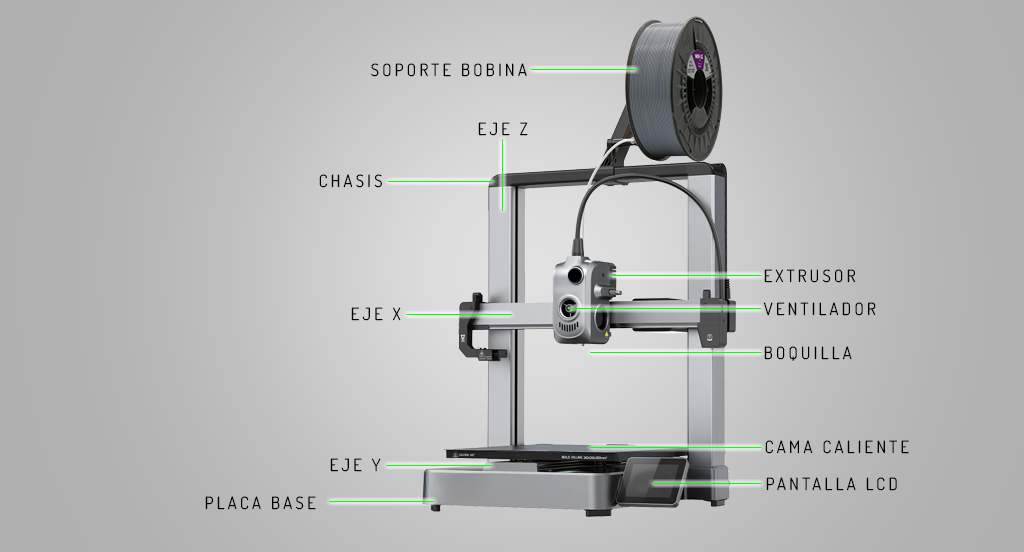
Main parts of a filament 3D printer
Before we look at the extruder and how everything works in detail, it is worth being clear about the set of components involved in an FDM printer:
- Frame or chassis: it provides rigidity and stability. A solid chassis reduces vibration and improves dimensional accuracy.
- X, Y and Z axes: they allow the head and/or the bed to move. Their alignment and smoothness directly affect layer quality.
- Print bed: the surface on which the part is built. It can be heated or unheated and must be properly levelled.
- Extrusion system: responsible for pushing, melting and depositing the filament.
- Electronics and motors: they coordinate movement, temperatures and speeds.
- Fans: they cool the material and the hotend depending on the printing stage.
Among all these elements, one is especially critical: the extruder.
What is the extruder?
The extruder is responsible for controlling the flow of filament towards the printing area.
In a filament 3D printer, if the extruder does not work properly, the part cannot print well, however well calibrated the rest of the parameters are.
 A well-adjusted extruder guarantees you:
- Constant extrusion.
- Uniform layers.
- Fewer jams and print failures.
It is important to understand that the extruder is not a single part, but a set of elements working together.
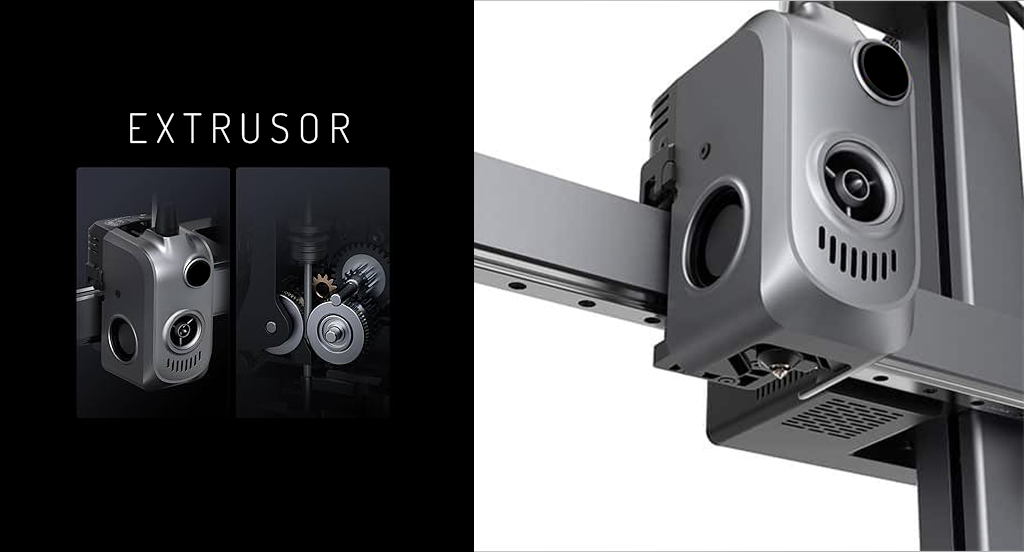
Main parts of the extruder
- Extruder motor.
It pushes or retracts the filament in very precise steps. Its stability is what keeps the amount of material constant. - Drive system.
This is a toothed gear or dual gear that “bites” the filament and pushes it towards the hotend without slipping. - Filament guide.
In Bowden systems the filament travels through a tube to the hotend; in direct drive systems the extruder is mounted on the head. Each configuration has its advantages depending on the type of material. - Hotend.
This is the hot part where the filament melts. It includes the heater block, the heater cartridge, the thermistor and the nozzle.
How does a filament 3D printer work?
The way an FDM 3D printer works follows a clear, repetitive process:
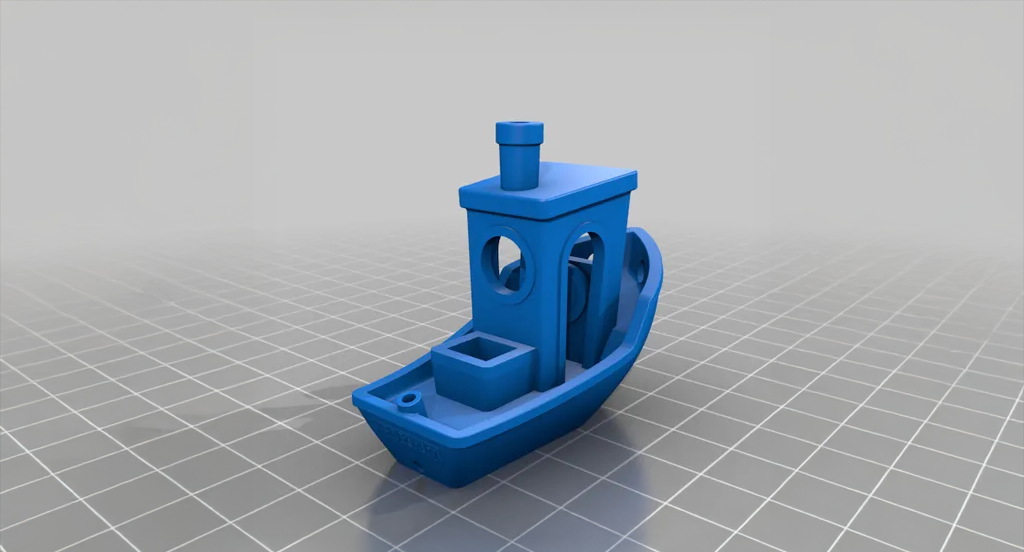
Step 1: 3D file (STL files).
It all starts with an STL file, which defines the shape of the part. These files can be designed yourself or downloaded ready to print.
At Winkle you can find STL files ready to print, ideal for getting started, calibrating your printer or trying out new filaments:
Step 2: prepare the file for printing.
The STL file is opened in a program called a slicer, which divides the model into layers and generates the instructions for the printer. At this point you set basic values such as:
- Layer height.
- Speed.
- Temperature.
Step 3: extrusion and movement.
The extruder, one of the key parts of a 3D printer, pushes the filament towards the hotend, where it melts and comes out through the nozzle. At the same time, the X, Y and Z axes move the head and the bed to form each layer.
Step 4: layer-by-layer printing.
The printer deposits the material bit by bit until the part is complete. The right temperature and ventilation allow the plastic to cool and hold its shape.
Step 5: remove the part.
When the print finishes, the part is removed from the bed and, if necessary, supports are taken off or a little finishing work is done.
Using suitable STL files, knowing the parts of the 3D printer and working with quality filaments, like Winkle’s, makes all the difference to the final result.
Questions about the main parts of a 3D printer
If you do not have a printer yet, follow our advice on which 3D printer to buy if you are just starting out.
 What type of 3D printer is best to start with?
Filament (FDM) 3D printers are the most recommended for beginners because of their ease of use, cost and the range of materials available.
Which part of the 3D printer fails most often?
The extruder and the hotend are usually the most critical components, since they work with heat and constant movement. Poor extrusion is often the cause of many failures.
What is an STL file and what is it for?
An STL file is the digital model that defines the shape of the part to be printed. The printer cannot print without an STL file prepared beforehand.
Why does my printer print badly even though it is well calibrated?
Because knowing about calibration alone is not enough. Understanding how the parts of the 3D printer work helps you identify extrusion, temperature or movement problems.
Can I print any STL file on any 3D printer?
Not always. It depends on the size, the type of printer, the material and the slicer settings. That is why it is advisable to use STL files designed for FDM printers.