
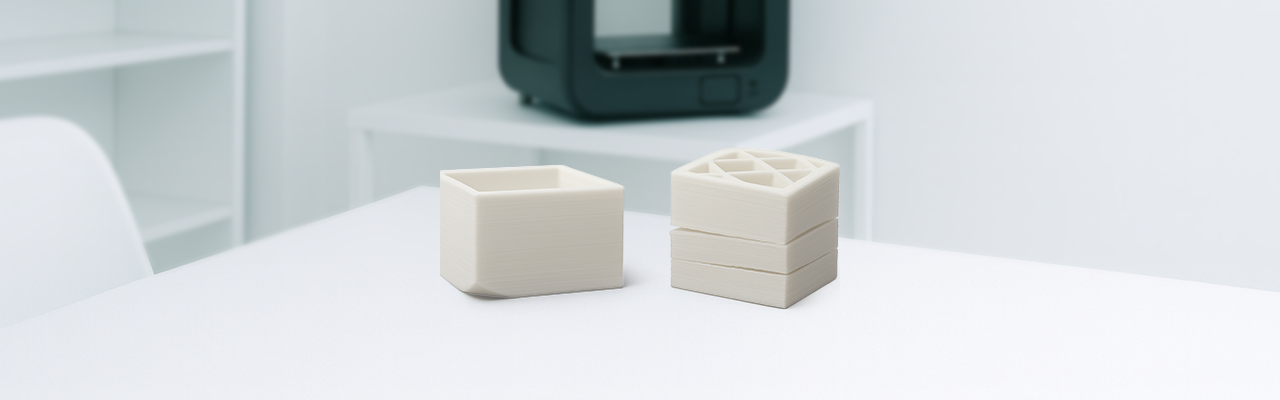
Avoiding warping and cracking is a matter of properly understanding the filament and the environment. With good calibration, the right temperatures, protection from draughts and optimal temperature control, your 3D prints will be stronger, better looking and more accurate.
Warping and cracking affect prints both aesthetically and technically. Because if the part you create has to fit somewhere, it will not, since it will be deformed.
 How to avoid warping
- Use a heated bed (60 °C for PLA, 100–110 °C for ABS).
- Apply adhesives: hairspray, glue or BuildTak sheets.
- Enable the brim or “skirt” in the slicer.
- Enclose the printer or print in a space with no draughts.
- Level and clean the bed before every print.
- Reduce the speed on the first layers.
How to avoid cracking
- Raise the extrusion temperature if you see weak layers.
- Use an enclosed housing or heated chambers for technical materials.
- Reduce the speed if you print tall or thin parts.
- Turn off the fan on the upper layers (except with PLA).
- Increase the wall or perimeter thickness for greater strength.
Materials most prone to warping and cracking

What is warping?
Warping happens when the parts we print come away from the build plate and curl upwards. But why does this happen? ➡︎It is because the layers cool one on top of another and, as they contract, they pull the material upwards.
It is a problem we can easily run into when printing in 3D by extrusion with thermoplastics, especially when printing large parts.
Common causes:
- A poorly levelled or cold bed.
- Poor adhesion.
- Draughts.
- Premature cooling.

What is cracking?
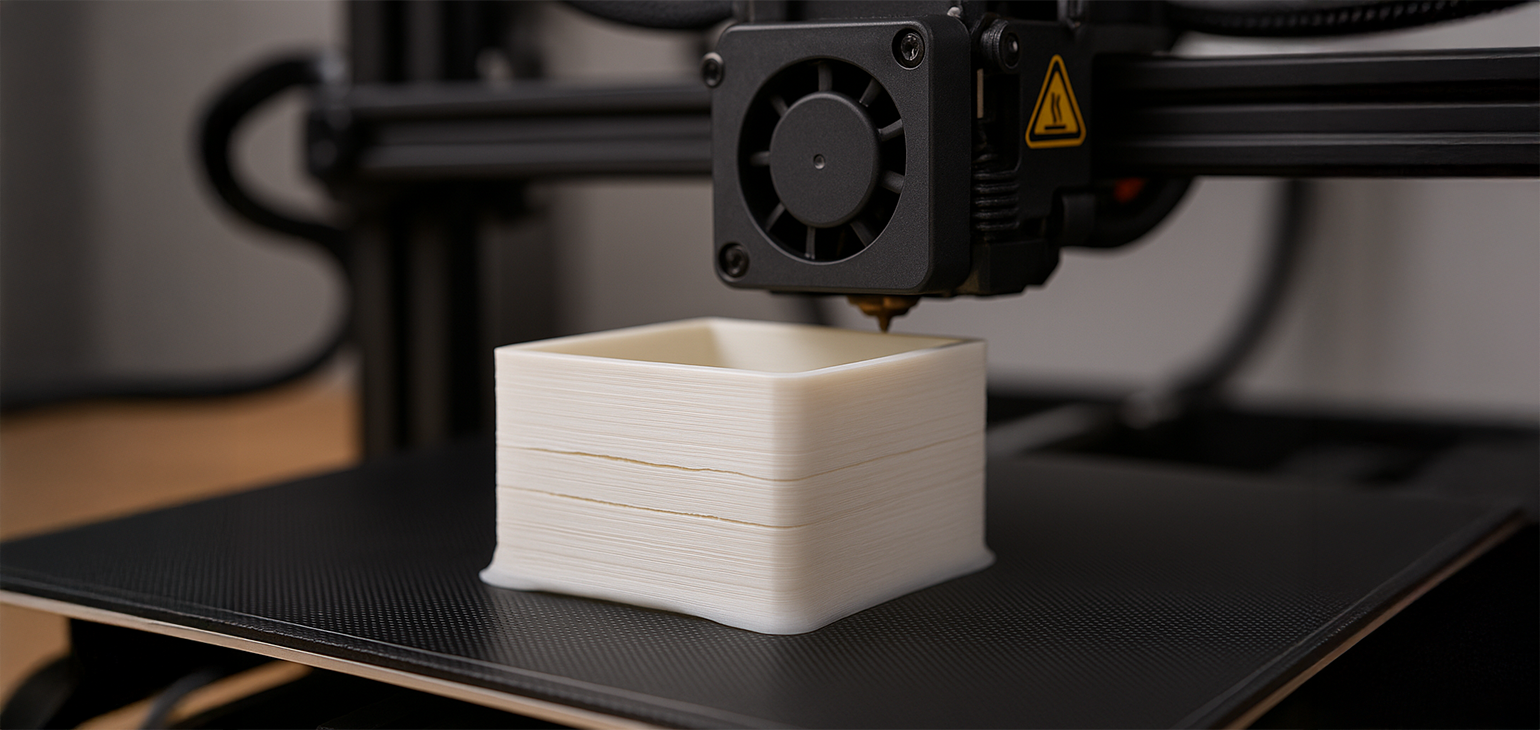
Cracking is similar to warping, except that instead of appearing on the first printed layer, it appears on the intermediate ones. Parts affected by this problem usually suffer warping on the first layer too.
Cracking (or splitting) refers to the horizontal cracks between layers, especially in tall parts and materials that require high temperatures.
Common causes:
- Low extrusion temperature.
- Very low ambient temperature.
- Excessive cooling.
- High speed with thin layers.

Warping in the most common materials: PLA, ABS, PETG, PP
Below we explain how warping affects the most popular filaments and how to reduce it.
PLA (Polylactic Acid)
Degree of warping: very low.
Why: PLA has low thermal contraction, which makes it ideal for beginners.
Recommendations: make sure you have good bed adhesion. Print between 190–230 °C with the bed at 50–70 °C. Use a clean build plate or blue tape if needed.
 Ideal for flat, decorative parts and printers without an enclosure.
PETG (Polyethylene Terephthalate Glycol)
Degree of warping: low to medium
Why: it contracts more than PLA but less than ABS. It can lift on large parts if the bed is not properly levelled.
Recommendations:
Print between 230–250 °C, bed at 70–80 °C.
Do not use the fan on the first layers.
Apply an adhesive such as a glue stick or hairspray to improve adhesion.
A good option for functional parts with low deformation.
ABS (Acrylonitrile Butadiene Styrene)
Degree of warping: high
Why: it cools quickly and has high thermal contraction, which easily causes corners to lift.
Recommendations:
Use a heated bed at 100–110 °C and extrusion between 230–260 °C.
Print in an enclosure or a controlled environment.
Apply a brim or raft to improve grip.
Avoid draughts.
Not recommended without an enclosed printer or environmental control.
PP (Polypropylene)
Degree of warping: very high
Why: PP is prone to warping because of its high contraction and poor adhesion to most surfaces.
Recommendations:
It needs a heated bed at 100–110 °C and a nozzle at 220–250 °C.
Print on special surfaces such as polypropylene sheets or PP tape.
Using a brim is essential.
An enclosure is highly advisable.
Warping with ABS and warping with PLA. Why are they different?
Warping is a common problem in 3D printing, but not all filaments behave the same way. The starkest contrast is between ABS and PLA: one is famous for deforming easily, the other for its dimensional stability. But why does this happen?
ABS: stronger, but thermally less stable
ABS, or Acrylonitrile Butadiene Styrene, is a tough, durable thermoplastic, but one with high thermal contraction. This means that as it cools, its layers tend to shrink forcefully, pulling upwards and causing the corners to come away from the print bed.
Advantages: mechanical strength, heat tolerance
Drawbacks: it requires a heated bed (≥100 °C), an enclosure and good adhesion.
Conclusion: ABS needs a controlled environment and precise settings to avoid warping.
PLA: easy to print, almost no warping
PLA, or Polylactic Acid, contracts little as it cools, which makes it far more stable during printing. It adheres well to the bed, even without heating, and is barely sensitive to draughts or ambient temperature.
Advantages: ideal for beginners, good adhesion, easy to set up
Drawbacks: less heat resistant, somewhat brittle for functional parts
Conclusion: PLA is perfect for warp-free prints, even on open printers.
Tricks to avoid warping
At Winkle we give you these 10 tricks to avoid warping in 3D printing:
- Perfect bed levelling.
A poorly levelled build plate reduces the adhesion of the first layers. Check the calibration before every print. - Clean the print surface thoroughly.
Dust, grease or old material residue make it harder for the filament to stick. Isopropyl alcohol to the rescue. - Use a heated bed suited to the filament:
PLA: 50–70 °C.
PETG: 70–80 °C.
ABS/ASA: 100–110 °C. - Apply adhesives if necessary.
Glue stick, hairspray or thermal tape help keep the part stuck down. - Enable the brim or raft in the slicer.
Adding an extra border around the part improves grip on the bed and stops the corners lifting. - Avoid draughts. Print in a closed room or use an enclosure to keep the temperature stable.
- Turn off the fan on the first layers. Especially with technical materials. Premature cooling creates internal stresses.
- Reduce the printing speed on the first layers. Printing more slowly improves adhesion and gives the base time to settle properly.
- Preheat the printer before you start. Leave the bed and hotend on for a few minutes to stabilise the thermal environment.
- Avoid parts with overly thin corners. Pointed areas tend to lift more. Round off edges in the design or add “ears” in the slicer.
¿Te ha resultado útil este contenido?
Añade Winkle como fuente preferida en Google.


